

Business management
ManageHex
Run the day to day of a venue from a room drawn where it really stands: menus, orders, staff and stock, with every table carrying the state it is in.
- What it is
- Day to day management for a venue
- Who it is for
- Businesses with branches, staff and a floor to run
- Where it runs
- In a browser
The floor
Lay out a room, then work the night from it
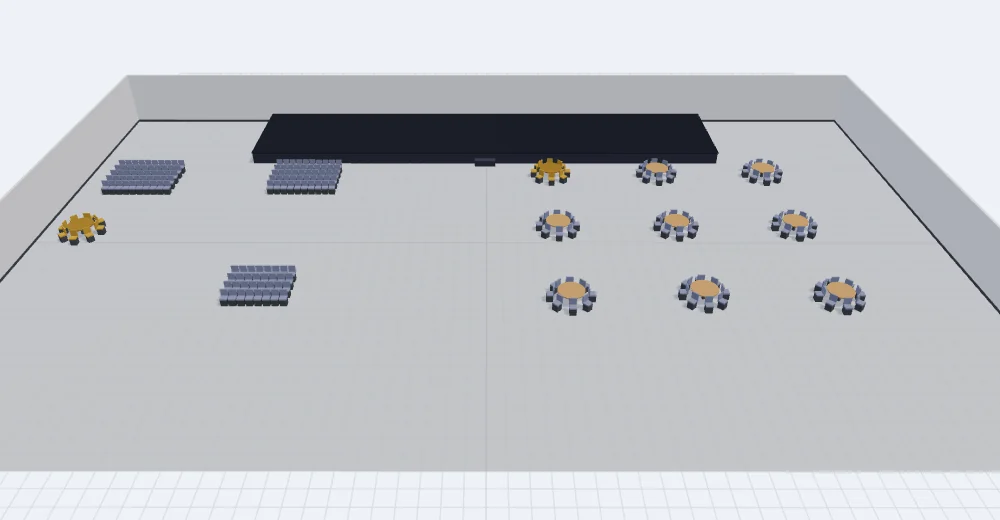
Rooms, zones, tables and seats are drawn where they really stand, so the plan on the screen and the room in front of you are the same room.
The same floor plans an event and then runs it, with the stage and the seating in place before anyone arrives. Each table carries its own state, and the view has a key for what each state means.
Working it
The controls over the room
-

The product says what the floor is for, and what each colour on it means. -

Change the angle the floor is seen from without leaving the view. -

A key for the table states, so the colours on the floor can be read. -
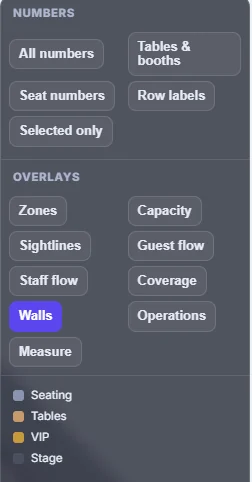
Select a part of the floor and its details open beside it.
What it covers
The rest of the day
- Menus A guest points a phone at the code on the table and the menu opens.
- Orders An order travels from the table to the kitchen without being carried there.
- Staff Every member of staff has a role, and the role decides what they can see and do.
- Stock What is held, who supplies it, and what has been delivered.